Chunk Errors

  • Our Minecraft servers are offline but we will keep this forum online for any community communication. Site permissions for posting could change at a later date but will remain online.

Status
Not open for further replies.

northadam15

Spectator
Joined
May 30, 2012
Messages
3
Reaction score
0
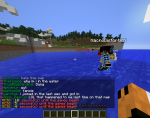
It seems that the maps that we play on don't load all the way and people die right away by falling through them and it makes it very difficult to play.
 

VeeZa

District 13
Joined
Sep 1, 2012
Messages
2,707
Reaction score
1,976
I have never had this problem, unless the server is about to crash.
 

Tacoface1234

District 13
Joined
May 27, 2012
Messages
2,490
Reaction score
1,778
As far as I know, this is only a problem on karmunrah. The developers already know about that issue. If anybody knows of any other maps where this has happened, however, please do tell.
 

Venkin

Career
Joined
Jan 24, 2013
Messages
575
Reaction score
172
As far as I know, this is only a problem on karmunrah. The developers already know about that issue. If anybody knows of any other maps where this has happened, however, please do tell.
I am not sure but i think that chunk errors can be on every map, and as far as i know it's a server issue, i ( the whole server of couse ) got chunk errors on sg3, karmunrah, sg1 and on the "hell Games" map.
 

Levah

District 13
Joined
Jul 8, 2012
Messages
2,861
Reaction score
2,525
Happened to me on SG 3 i was 1 podium away from the "Hole of doom" I saw people just falling. I won that game :p
 

Venkin

Career
Joined
Jan 24, 2013
Messages
575
Reaction score
172

Jon | Lqzer

Platinum
Joined
Nov 17, 2012
Messages
3,897
Reaction score
4,085
I've had this problem a few times on SG4, where I endlessly fall and need someone to punch me out... >.<
 

Its_KaanPvP

Spectator
Joined
Jul 17, 2015
Messages
8
Reaction score
0
I think about it is caused from the Optifine Or Anything That you add extra to minecraft.Do you have anythink added If you had
First TRY to Close Them and Sign in TO MCSG
2.If That Doesn't work Try To find What Resolution Does Your PC has
For Example
MY PC Can GO up to 1336~768
But Yours Can go more
If you want to Find yours
Just Right Click to Your Desktop and Go to Screen Resolution
Than Go TO minecraft Launcher and Go to Profile Properties
Than Write the same Numbers To there And look if that works
3.Look At Your PC`s Ram
Go To Computer Properties
Go Ahead and take a look at RAM section
Take The RAM and Divide it By 2
Than Write that number At JVM Arguments
-Xmx2G -XX:+UseConcMarkSweepGC -XX:+CMSIncrementalMode -XX:-UseAdaptiveSizePolicy -Xmn128M
Do you see the 8G Write it There Like
-Xmx1G -XX:+UseConcMarkSweepGC -XX:+CMSIncrementalMode -XX:-UseAdaptiveSizePolicy -Xmn128M
OR
-Xmx4G -XX:+UseConcMarkSweepGC -XX:+CMSIncrementalMode -XX:-UseAdaptiveSizePolicy -Xmn128M
It Depends On The RAM OF PC
4.Redownload Minecraft
If That all Doesn't work try to redownload minecraft
______________________________________
More Questions
Skype:Kaan5k
Hotmail:[email protected]
Youtube:https://www.youtube.com/channel/UCZHYc3h9WjTvNGjTNx0d77A
------------------------------------------------------------------------------------------------
Have A nice Day ^^
 

Ceroria

Mockingjay
Joined
Aug 20, 2012
Messages
11,023
Reaction score
13,943
And another necropost that shall result in a lock. Please stop digging up threads that are 2, if not 3 years old.
 
Status
Not open for further replies.

Members online

No members online now.

Forum statistics

Threads
242,188
Messages
2,449,241
Members
523,962
Latest member
Atasci